
Speed camera warning apps and dedicated devices provide drivers with advance notice of fixed and mobile enforcement points to encourage safer speeds and reduce speeding incidents. This guide explains how those systems work, the technologies that enable timely alerts, and the behavioral mechanisms by which warnings translate into speed adjustments and smoother deceleration. Drivers and fleet managers will learn the advantages and limitations of crowdsourced apps versus single-purpose hardware, how alert modality affects attention, and what features correlate with consistent usage and safety benefits. The article then compares app-based solutions with dedicated devices, summarizes empirical evidence about camera enforcement and warnings, and clarifies legal and privacy considerations drivers should weigh. Finally, practical guidance helps different driver personas choose the right solution and identify must-have features for effective speed camera awareness. Throughout, we use semantic relations—hyponyms like red-light camera warning devices, meronyms such as GPS camera databases, and related entities like crowdsourcing and radar detection—to frame how technology links to behavior and safety outcomes.
How Do Speed Camera Warning Apps and Devices Work to Reduce Speeding?
Speed camera warning systems work by linking known camera locations or live detections to in-vehicle alerts that alter driver attention and prompt speed reduction before enforcement zones. The mechanism combines geolocation data, direction-aware logic, and timely alert modalities so drivers receive signal cues early enough to decelerate smoothly rather than brake abruptly. By converting camera position data into anticipatory cues, these systems change situational awareness and create an immediate cue-response that reduces speeding behavior at or before enforcement points. The net value is both fewer tickets and, importantly, reduced speed differentials that contribute to fewer speed-related incidents. Understanding the enabling technologies clarifies where accuracy and latency matter most, and leads into how specific detection methods and alert modalities shape real-world effectiveness.
What Technologies Enable Real-Time Speed Camera Alerts?
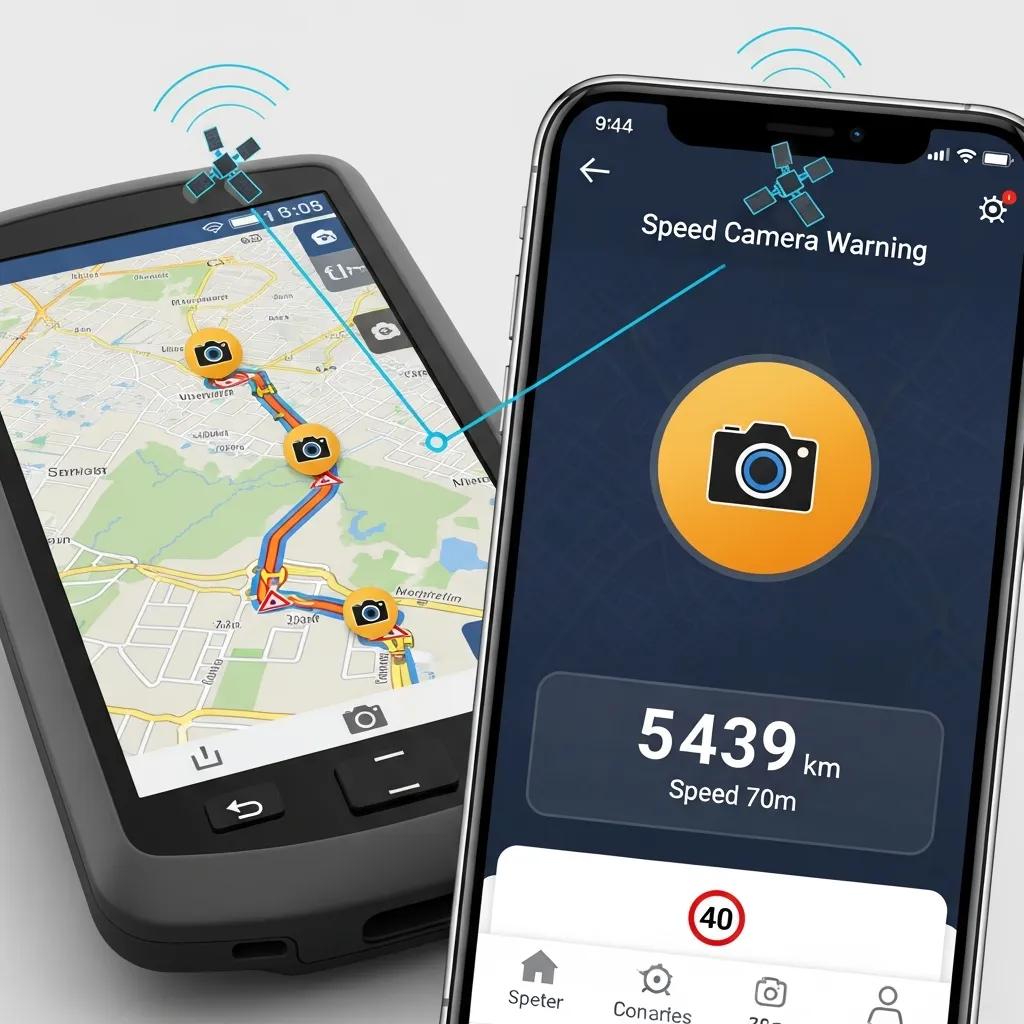
Real-time camera alerts typically rely on a maintained camera location database paired with GPS geofencing and, in many apps, crowdsourced reports that update coordinates and status rapidly. Server-side updates push new or edited camera waypoints to clients, while direction-aware logic filters alerts to only those cameras ahead of the vehicle’s trajectory to minimize irrelevant warnings. Some dedicated devices operate from a frequently updated database and apply on-device geofencing to reduce latency and dependency on continuous internet connectivity. The trade-offs include update cadence (how often the database refreshes), coordinate precision (meters of error), and whether the system supports community reporting versus official registries. These technical components explain variations in accuracy across solutions and set expectations for how timely and relevant an alert will be.
How Do Visual and Audio Alerts Influence Driver Behavior?
Alert modality—visual, audio, or a combination—changes the cognitive load and reaction type that drivers exhibit when notified of an enforcement point, which directly influences speed adjustment quality. Visual-only alerts that are simple and instinctive can produce quick cue-based deceleration with minimal cognitive distraction, while complex screen-based notifications demand more attention and increase crash risk if drivers glance at devices. Audio alerts can be effective when paired with clear, non-startling tones that prompt a measured speed reduction, but they may be disruptive in noisy cabins or for drivers relying on auditory instructions from navigation systems. Best practice encourages non-interactive, mounted alert displays or simple visual cues that minimize manual interaction and preserve primary driving attention, which improves the likelihood of smooth deceleration rather than abrupt braking.
What Are the Advantages and Limitations of Speed Camera Warning Apps?
Speed camera warning apps offer low-cost access to camera-location awareness but carry limitations around distraction risk, battery impact, and dependency on community participation for data freshness. As driver assistance technology, apps are hypernyms encompassing crowdsourced systems and those integrating with navigation; they provide benefits such as route-aware notifications and rapid community updates. However, their meronyms—the screen, audio module, and battery subsystem—introduce trade-offs in real driving contexts. Evaluating these trade-offs helps drivers choose an app that balances update frequency, distraction profile, and local data reliability. The following subsections examine accuracy patterns among popular apps and quantify distraction and battery considerations to help readers weigh whether an app meets their safety-first needs.
Applications and services differ by update cadence, coordinate precision, and community density, which together determine practical reliability in a given region. A neutral evaluation framework considers three metrics: precision of camera coordinates, update cadence (how fast new reports propagate), and the false alert rate, which is often tied to population density of contributors. Drivers can judge an app by checking recent update logs, user feedback trends, and whether the app offers official camera registry integration; doing so sets realistic expectations about alert frequency and accuracy. These technical markers connect directly to user experience and lead to mitigation strategies when apps underperform locally.
Speed camera apps can increase phone-related distraction if drivers interact with the screen while driving, and they can have measurable battery impact depending on GPS, screen use, and background processes. Distracted-driving research shows phone interaction correlates with degraded lane-keeping and delayed reaction times, so apps that require frequent visual confirmation increase risk. Battery consumption is driven primarily by GPS sampling and screen-on time; mitigation strategies include using audio-only alerts, disabling the map display while driving, and leveraging low-power GPS modes when available. Adopting hands-free mounts, preconfiguring alerts, and using do-not-disturb driving modes reduce both distraction and battery drain while preserving the app’s core alerting function.
Different speed camera apps and device categories exhibit characteristic pros and cons that help drivers quickly assess suitability for their needs.
- Common advantages of apps include low cost, fast community updates, and navigation integration
- Typical limitations are screen-based distraction potential, battery drain from continuous GPS, and variability in accuracy tied to active user communities
- Mitigation strategies include using audio alerts, turning off the map display when driving, and verifying update cadence in app settings
These points show how apps can work well in many contexts but require disciplined setup and usage to deliver safety benefits rather than introduce new risks.
| Solution Type | Key Pros | Key Cons |
|---|---|---|
| Crowdsourced Apps | Low cost, fast community updates, navigation integration | Screen distraction, variable accuracy, battery use |
| Official-registry Apps | Higher data authority, stable coordinates | Less frequent updates for temporary cameras, may lack community reports |
| Dedicated Devices | Simple alerts, reduced phone dependence | Upfront cost, single-purpose hardware |
How Do Dedicated Speed Camera Warning Devices Compare to Apps?
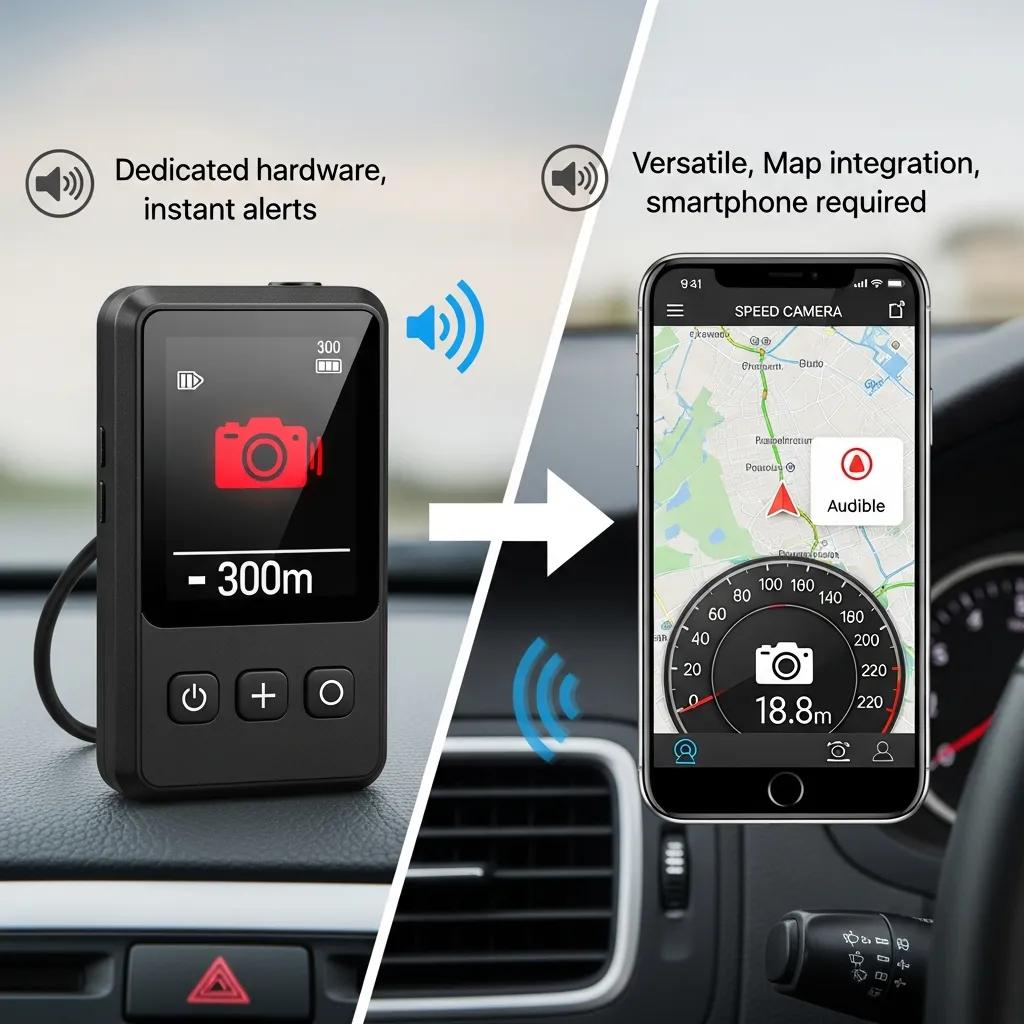
Dedicated speed camera devices and app-based systems share the same high-level goal—alerting drivers to enforcement locations—but they differ in form factor, alert modality, and operational design. Dedicated devices are hypernyms of single-purpose hardware that typically provide simple, dashboard-mounted visual cues or tactile signals, intentionally minimizing driver interaction. Their meronyms include a battery subsystem, a visual alert module, and an onboard geolocation database, which together reduce reliance on a constantly active smartphone. The result is often a lower distraction profile and longer uptime between charges, but at the cost of purchasing separate hardware and accepting a device limited to this one function. Understanding these trade-offs helps drivers decide whether the convenience and multi-functionality of an app outweigh the focused safety design of dedicated hardware.
Comparing apps and devices across core attributes clarifies practical differences for everyday driving and fleet use.
| Attribute | App-Based Solutions | Dedicated Devices |
|---|---|---|
| Accuracy | Dependent on update cadence and community density | Dependent on database updates and device geofencing |
| Distraction Risk | Higher due to screen interactions | Lower due to simple visual cues and no screen |
| Battery Impact | Uses phone battery and GPS | Separate battery subsystem; less phone drain |
| Update Frequency | Often frequent via crowdsourcing | Frequent vendor updates possible; direction-aware filtering |
This comparison highlights that dedicated devices typically reduce driver distraction and phone battery load, while apps offer broader functionality and lower upfront cost. The choice depends on whether the driver values multi-function convenience or minimal distraction and simplicity.
Practical trade-offs and scenarios make the comparison actionable:
- Commuters with short urban routes: May prioritize a low-cost app with community updates.
- Rideshare or delivery drivers: Often benefit from a dedicated device that reduces phone use and supports long shifts.
- Occasional drivers: Might prefer an app tied to navigation for occasional awareness needs.
These persona-based examples illustrate how context and usage patterns shape the optimal choice and lead to an actionable testing checklist for trialing a solution in real driving conditions.
What Unique Benefits Does the CamCrusher Device Offer Over App-Based Solutions?
CamCrusher represents a class of dedicated dashboard-mounted hardware that provides real-time, non-distracting visual alerts specifically for speed and red-light cameras. The device’s stated attributes include instinctive visual signaling—solid red lights for speed cameras and flashing red lights for red-light cameras—combined with direction-aware operation and frequent camera database updates to maintain relevancy. CamCrusher is positioned as a simplicity-first solution with no route entry or buttons, designed to minimize driver interaction and reduce secondary distractions from phone use. Its battery life is advertised as long—on the order of two or more weeks between charges—so drivers can rely on consistent uptime without daily recharging, and frequent data updates aim to keep camera locations current for typical driving patterns.
These explicit product attributes map directly to the effectiveness factors discussed earlier: simple visual cues reduce cognitive load, direction-aware filtering minimizes irrelevant alerts, and longer battery life supports consistent use, which together promote habitual compliance with posted speeds. CamCrusher serves as an illustrative example of how dedicated hardware implements the safety-oriented design choices that reduce distraction and encourage sustained behavior change in real-world driving.
How Do Battery Life and Non-Distracting Alerts Impact Effectiveness?
Long battery life and low-distraction alert modalities are core drivers of real-world effectiveness because they sustain continuous usage and preserve primary driving attention over extended periods. When a device remains charged and ready without frequent user maintenance, drivers are more likely to keep it active during every trip, which increases cumulative exposure to the anticipatory cues that prompt speed reduction. Non-distracting visual alerts—designed as simple, instinctive cues—reduce the cognitive switching costs that occur when drivers glance at screens or manipulate apps, thereby encouraging smoother deceleration rather than abrupt braking that can cause rear-end incidents. Proper mounting and line-of-sight placement further ensure that visual cues are noticed without necessitating eye-off-road behaviors. These operational factors explain why hardware designs emphasizing battery longevity and minimalist alerts can produce more consistent safety benefits in day-to-day driving.
What Is the Impact of Speed Camera Warning Systems on Driver Safety and Speeding Reduction?
Empirical research on camera enforcement and warning systems indicates that visible enforcement and advance warnings can reduce mean speeds and lower the incidence of speeding-related crashes in many contexts. The behavioral pathway is straightforward: increased awareness and anticipation lead to earlier deceleration, reduced speed variance, and fewer opportunities for speed-related conflicts. Results vary by study context—urban vs rural, temporary vs permanent cameras—and by whether warnings are coupled with active enforcement. Translating study results into practical expectations helps drivers understand that while warning systems reduce speeds at targeted sites, the magnitude of effect depends on coverage, compliance, and whether alerts encourage measured deceleration rather than abrupt stopping. The following evidence table summarizes representative findings to ground these claims.
| Study / Source | Metric Measured | Result |
|---|---|---|
| Enforcement + Warnings (aggregated) | Mean speed reduction near cameras | Notable reductions in mean and 85th-percentile speeds at enforcement sites |
| Before/After camera installation | Speeding violations | Declines in recorded speeding incidents at fixed camera locations |
| Driver-behavior analyses | Brake/decay patterns | Warnings associated with earlier, smoother deceleration in many tests |
What Studies Support the Effectiveness of Speed Camera Alerts in Changing Driver Behavior?
Multiple peer-reviewed and government studies indicate that speed enforcement and advance warning reduce speeding and related collisions, though results depend on the study design and regional context. Research often measures mean speed, 85th-percentile speed, and crash frequency before and after camera deployment or warning interventions, finding consistent reductions at targeted sites. Limitations include geographic specificity—results in one city may not transfer directly elsewhere—and potential short-term compliance that decays if enforcement is not visible or consistent. Practical takeaway: drivers can expect meaningful speed reductions at sites where cameras are known and alerts are timely, but system-wide effects require sustained coverage and driver habituation. These evidence-based insights inform realistic expectations for how much warning systems can improve safety on a daily basis.
How Do Instinctive Visual Cues Promote Safer Driving Habits?
Instinctive visual cues—simple, high-contrast signals that map directly to a required action—leverage basic cue-response psychology to produce rapid, low-cognitive-load speed adjustments. A prominently visible red indicator, for example, creates an immediate association with stopping or slowing, prompting drivers to reduce speed without engaging higher-level deliberation. Repeated exposure to such cues in consistent contexts supports habit formation: over time, drivers learn to pre-emptively adjust speed upon seeing the cue, embedding safer driving patterns. Because these cues minimize cognitive interference, they reduce the risk of in-trip distraction and facilitate smoother deceleration, which is safer for following traffic. This mechanism explains why simple, direction-aware visual alerts can be particularly effective components of a broader speed-reduction strategy.
| Study / Source | Metric Measured | Result |
|---|---|---|
| Behavioral cue research | Reaction latency to visual cue | Faster, more consistent deceleration for simple visual prompts |
| Before/After camera warnings | Crash frequency near cameras | Lower collision rates observed in many implementations |
| Longitudinal habit studies | Sustained compliance over time | Habit formation stronger when cues are simple and consistently presented |
Are Speed Camera Warning Apps and Devices Legal and Ethical to Use?
The legality and ethical framing of speed camera detectors and warning apps vary by jurisdiction, and drivers must verify local rules before relying on any detection technology. At a conceptual level, lawful awareness tools that provide location-based information differ from equipment that interferes with enforcement systems; legal restrictions often target active interference rather than passive information. Ethically, using warnings to improve situational awareness and comply with posted speeds aligns with road safety objectives, while deliberately trying to evade enforcement raises normative concerns. Privacy considerations also factor into legality and ethics, especially for crowdsourced apps that collect user location and contribution data. This combination of legal variability and ethical nuance underscores the need for drivers to consult local regulations and prefer tools that prioritize safety and minimal data collection.
What Are the Legal Considerations for Using Speed Camera Detectors in Different Regions?
Legal frameworks for detectors and warning systems vary widely; some regions restrict certain device types while others regulate how detection information may be used. Drivers should treat legality as jurisdiction-specific and confirm state or national regulations before using detectors or apps that disclose enforcement locations. Important distinctions exist between passive location-awareness tools and devices that actively interfere with enforcement equipment; the latter are more likely to be prohibited. Because rules change and local interpretations differ, a cautious approach—verifying up-to-date local guidance—helps drivers remain compliant while using these technologies to promote safety. This cautionary stance supports safer adoption patterns and reduces legal risk.
How Do Privacy Concerns Affect User Trust in Warning Systems?
Privacy differences between crowdsourced apps and dedicated devices influence user trust and adoption: apps frequently send anonymized location data and reports to servers to maintain fresh camera databases, whereas many dedicated devices operate with on-device databases and minimal user data transmission. Users sensitive to privacy will prefer solutions that minimize off-device data sharing and provide clear privacy disclosures about what is collected and why. Trust-building measures include transparent privacy policies, options to opt out of data sharing, and clear descriptions of data retention practices. Choosing a system with privacy-preserving defaults helps users adopt camera awareness tools without compromising personal data security.
Which Speed Camera Warning Solutions Are Best for Different Driver Needs?
Choosing between apps and dedicated devices depends on driving habits, tolerance for phone-based interaction, and priorities such as battery life, update frequency, and single-purpose simplicity. Different driver personas—commuter, rideshare driver, long-haul professional, or occasional road-user—have distinct needs that map to solution types. A structured decision flow helps align those needs with practical choices and next steps for trialing a system. The following persona-based checklist helps drivers quickly evaluate which solution type fits their routine, while also highlighting must-have features to look for regardless of platform.
- Daily urban commuter: Choose an app with strong community updates and audio alerts if short trips and navigation integration matter most.
- Rideshare/delivery driver: Prefer a dedicated device to minimize phone distraction, maximize uptime, and provide simple persistent alerts during long shifts.
- Occasional or leisure driver: Use a navigation-integrated app that offers occasional warnings without additional hardware.
- Privacy-conscious driver: Opt for a device with on-board database operation or an app that provides clear opt-out and minimal data collection.
This decision flow clarifies how usage patterns and priorities map to solution categories and encourages drivers to trial a chosen option under real driving conditions before committing.
Selecting the right solution benefits from a concise feature checklist:
- Must-have features include accurate update cadence, non-distracting alert types, and direction-aware filtering.
- Nice-to-have features include offline capability, membership-based frequent data updates, and simple mountability.
- Adoption criteria should prioritize sustained battery life and minimal driver interaction to maximize safety benefits.
How to Choose Between Apps and Dedicated Devices Based on Driving Habits and Preferences?
A practical decision checklist helps drivers trial and evaluate solutions against their habits and constraints. First, list priorities such as minimizing distraction, maximizing uptime, or minimizing cost. Next, trial an app for two weeks with audio-only alerts and map display off to measure convenience and battery impact. If frequent screen interaction remains necessary or battery drain becomes an issue, test a dedicated device on similar routes to compare alert timing and distraction profile. For fleets or professional drivers, pilot a small group to measure uptime and driver acceptance before wider deployment. Doing structured trials clarifies which approach delivers sustained compliance and safety improvements for a given use case.
These feature priorities help drivers evaluate offerings on their safety impact rather than marketing claims. For drivers seeking a real-world example of a dedicated, low-distraction option, CamCrusher provides a dashboard-mounted device focused on instinctive visual alerts for speed and red-light cameras, advertised long battery life (about two or more weeks between charges), direction-aware operation, and frequent camera data updates. That device illustrates how a simplicity-first hardware approach aims to minimize phone interaction and support consistent usage across many trips.
Editorial Note / Provided Content Instructions
This article ends after the last provided heading and intentionally concludes with safety-first guidance and product-context integration aligned with the allowed business information.
Conclusion
Utilizing speed camera warning apps and dedicated devices can significantly enhance driver safety by promoting awareness and encouraging compliance with speed limits. These tools leverage real-time alerts and instinctive visual cues to reduce speeding incidents and foster safer driving habits. By carefully selecting the right solution based on individual driving needs, users can maximize the benefits while minimizing distractions. Explore our recommended options today to find the perfect fit for your driving style.